
Shortcode Management
Easily create, edit, duplicate, and manage shortcodes with full control and flexibility.
We value your privacy
We use cookies to see how our site is used and to measure our ads. Necessary cookies are always on. Privacy policy

GS Team MembersWordPress plugin
Show team members with photos, roles, skills and social links in grids, sliders, filters, popups, panels and tables. Set up in minutes, no coding needed.
7-day money-back guarantee · Instant download
Overview
Discover the GS Team Members plugin — an effective, user-focused solution for presenting your team on your WordPress site with ease. Effortlessly display team member photos, names, designations, and social media links anywhere on your website using customizable shortcodes like [gsteam id=1] and widgets.
The plugin offers extensive customization with over 50+ elegant templates, including Grid, Circle, Horizontal, Drawer, Table, List, Slider, Popup, Filter, Panel, and Gray view. The Shortcode Generator settings panel and live preview option ensure your team section looks exactly the way you want it. It's SEO-friendly, designed to enhance the visibility of your team members while keeping your website’s performance optimal. The built-in re-order function allows you to organize your team with ease.
WordPress Team Members Plugin is the go-to tool for creating stunning and professional team showcases, whether in a dedicated section or across multiple pages. Adding, editing, or removing team members is simple, and updating their details is straightforward. Specifically tailored for WordPress, this plugin is essential for boosting your site’s appeal.
We recommend trying our free WP Team Members plugin to explore its capabilities. GS Plugins offers a comprehensive toolkit to help you create engaging website sections that convert visitors into loyal customers.
Key features
Easily create, edit, duplicate, and manage shortcodes with full control and flexibility.
Switch between layouts and styles effortlessly to match your website design needs.
Control image dimensions precisely to maintain consistency, performance, and perfect visual balance.
Reorder team members easily using drag and drop for better organization and control.
Choose from multiple pagination styles to improve navigation and enhance user browsing experience.
Access clear online documentation anytime to understand features, setup, and usage quickly.
Live preview
Pick a layout to see two ready-made styles.
Every example here is live, so hover, click and play around.


 Top ratedOlivia BennettCEO & FounderSofia HartLead Product DesignerEthan BrooksLead DeveloperJonas WeberMarketing LeadDaniel ReyesChief Technology OfficerLucas MeyerUI/UX DesignerIsabel CruzFrontend DeveloperZara OkoyeSocial Media ManagerOlivia BennettCEO & FounderDaniel ReyesChief Technology OfficerGrace LiuChief Operating OfficerNoah GrantHead of Customer SuccessTeam lead: Olivia BennettMeet the team Sofia HartLead Product DesignerLucas MeyerUI/UX DesignerEmma NovakBrand DesignerNora EllisIllustratorTeam lead: Sofia HartMeet the team Ethan BrooksLead DeveloperIsabel CruzFrontend DeveloperAdrian KowalBackend DeveloperMia LindqvistQA EngineerTeam lead: Ethan BrooksMeet the team Jonas WeberMarketing LeadSamuel OrtizSEO SpecialistZara OkoyeSocial Media ManagerTheo LambertPartnerships ManagerTeam lead: Jonas WeberMeet the team New hireTop ratedJonas WeberMarketing LeadDaniel ReyesChief Technology OfficerLucas MeyerUI/UX DesignerIsabel CruzFrontend DeveloperZara OkoyeSocial Media ManagerGrace LiuChief Operating OfficerEmma NovakBrand DesignerAdrian KowalBackend DeveloperSamuel OrtizSEO SpecialistNoah GrantHead of Customer SuccessNora EllisIllustratorMia LindqvistQA EngineerTheo LambertPartnerships ManagerOlivia BennettCEO & FounderSofia HartLead Product DesignerEthan BrooksLead Developer
No team members match your search.
Olivia BennettCEO & FounderStarted the company at her kitchen table and still reads every customer email.
Leadership96%Strategy92%Sofia HartLead Product DesignerDesigns simple screens for complex problems, and tests them with real people.
Product design95%Figma93%Ethan BrooksLead DeveloperWrites clean, well-tested code and reviews every release before it ships.
PHP95%JavaScript90%Jonas WeberMarketing LeadTells our story in plain words and measures what really works.
Campaigns93%Analytics89%Daniel ReyesChief Technology OfficerLucas MeyerUI/UX DesignerIsabel CruzFrontend DeveloperZara OkoyeSocial Media ManagerStarted the company at her kitchen table and still reads every customer email.
Designs simple screens for complex problems, and tests them with real people.
Writes clean, well-tested code and reviews every release before it ships.
Tells our story in plain words and measures what really works.
Turns big plans into calm, clear weekly steps everyone can follow.
Gives every launch a look people remember, from logo to landing page.
Builds the APIs and data tools that keep everything in sync.
Olivia BennettCEO & FounderStarted the company at her kitchen table and still reads every customer email.Sofia HartLead Product DesignerDesigns simple screens for complex problems, and tests them with real people.Ethan BrooksLead DeveloperWrites clean, well-tested code and reviews every release before it ships.Jonas WeberMarketing LeadTells our story in plain words and measures what really works.Daniel ReyesChief Technology OfficerKeeps the product fast, secure and a joy for the team to build on.Lucas MeyerUI/UX DesignerObsessed with spacing, motion and the small details users feel.| Member | Department | Location | Social | |
|---|---|---|---|---|
| Olivia BennettCEO & Founder | Leadership | London, UK | [email protected] | |
| Sofia HartLead Product Designer | Design | Lisbon, PT | [email protected] | |
| Ethan BrooksLead Developer | Development | Austin, US | [email protected] | |
| Jonas WeberMarketing Lead | Marketing | Vienna, AT | [email protected] | |
| Daniel ReyesChief Technology Officer | Leadership | Madrid, ES | [email protected] | |
| Lucas MeyerUI/UX Designer | Design | Berlin, DE | [email protected] | |
| Isabel CruzFrontend Developer | Development | Mexico City, MX | [email protected] |
| Member | Department | Location | Phone |
|---|---|---|---|
| Ethan BrooksLead Developer | Development | Austin, US | +1 555 0168 |
| Jonas WeberMarketing Lead | Marketing | Vienna, AT | +1 555 0196 |
| Daniel ReyesChief Technology Officer | Leadership | Madrid, ES | +1 555 0119 |
| Lucas MeyerUI/UX Designer | Design | Berlin, DE | +1 555 0147 |
| Isabel CruzFrontend Developer | Development | Mexico City, MX | +1 555 0175 |
| Zara OkoyeSocial Media Manager | Marketing | Lagos, NG | +1 555 01110 |
| Grace LiuChief Operating Officer | Leadership | Toronto, CA | +1 555 0126 |
| Emma NovakBrand Designer | Design | Prague, CZ | +1 555 0154 |
| Adrian KowalBackend Developer | Development | Warsaw, PL | +1 555 0182 |
| Samuel OrtizSEO Specialist | Marketing | Bogotá, CO | +1 555 01103 |
| Noah GrantHead of Customer Success | Leadership | Dublin, IE | +1 555 0133 |
| Nora EllisIllustrator | Design | Melbourne, AU | +1 555 0161 |
| Mia LindqvistQA Engineer | Development | Stockholm, SE | +1 555 0189 |
| Theo LambertPartnerships Manager | Marketing | Paris, FR | +1 555 01117 |
| Olivia BennettCEO & Founder | Leadership | London, UK | +1 555 0112 |
| Sofia HartLead Product Designer | Design | Lisbon, PT | +1 555 0140 |
No team members match your search.
The photos are stock images from our demo site. Names, roles and contact details are fictional, for display purposes only.
Feature highlights
Layouts That Match Your Style and Vision
Present your team exactly the way you want with a wide range of layout options. Choose the style that fits your brand and control how every profile is displayed on your site.
Each layout is designed to stay clean, engaging, and easy to explore.

Find the Right Member Instantly with advanced Filtering
Help users find exactly who they need in seconds. With advanced filtering options, visitors can narrow down team members by groups, roles, or locations without reloading the page.
Everything updates in real-time, ensuring a smooth and frustration-free experience.
Smart PopUp View for Quick Details
Let visitors explore deeper without losing their place. With a smart popup view, each profile opens smoothly over the page, revealing detailed information in a clean and focused layout.
Everything stays right where it is while users view key details, social links, and additional information without any interruption. It keeps the experience fast, engaging, and easy to navigate.

Flexible Pagination for Smooth Browsing
Give visitors a better way to explore your team. Control how profiles load and how users move through content without breaking the flow.
Switch between different browsing styles, all designed to feel fast and intuitive.
Works Seamlessly with Your Favorite Page Builders
Easily integrate your team layouts with the tools you already use. No extra setup, no complex steps, just smooth compatibility across popular page builders.
Build, customize, and manage your team sections directly within your preferred editor.
Looks Stunning Across Every Screen and Device
Your team section stays clean, structured, and visually appealing across all devices. Whether it’s desktop, tablet, or mobile, every profile adapts smoothly without breaking the layout.
No awkward spacing, no broken elements, just a consistent experience everywhere.
Everything included
49 more features that make building and managing your showcase easy.
Screenshots
 Grid View - Style 01
 GS Team Flip View
 Horizontal View - Style 02
 Horizontal View - Style 03
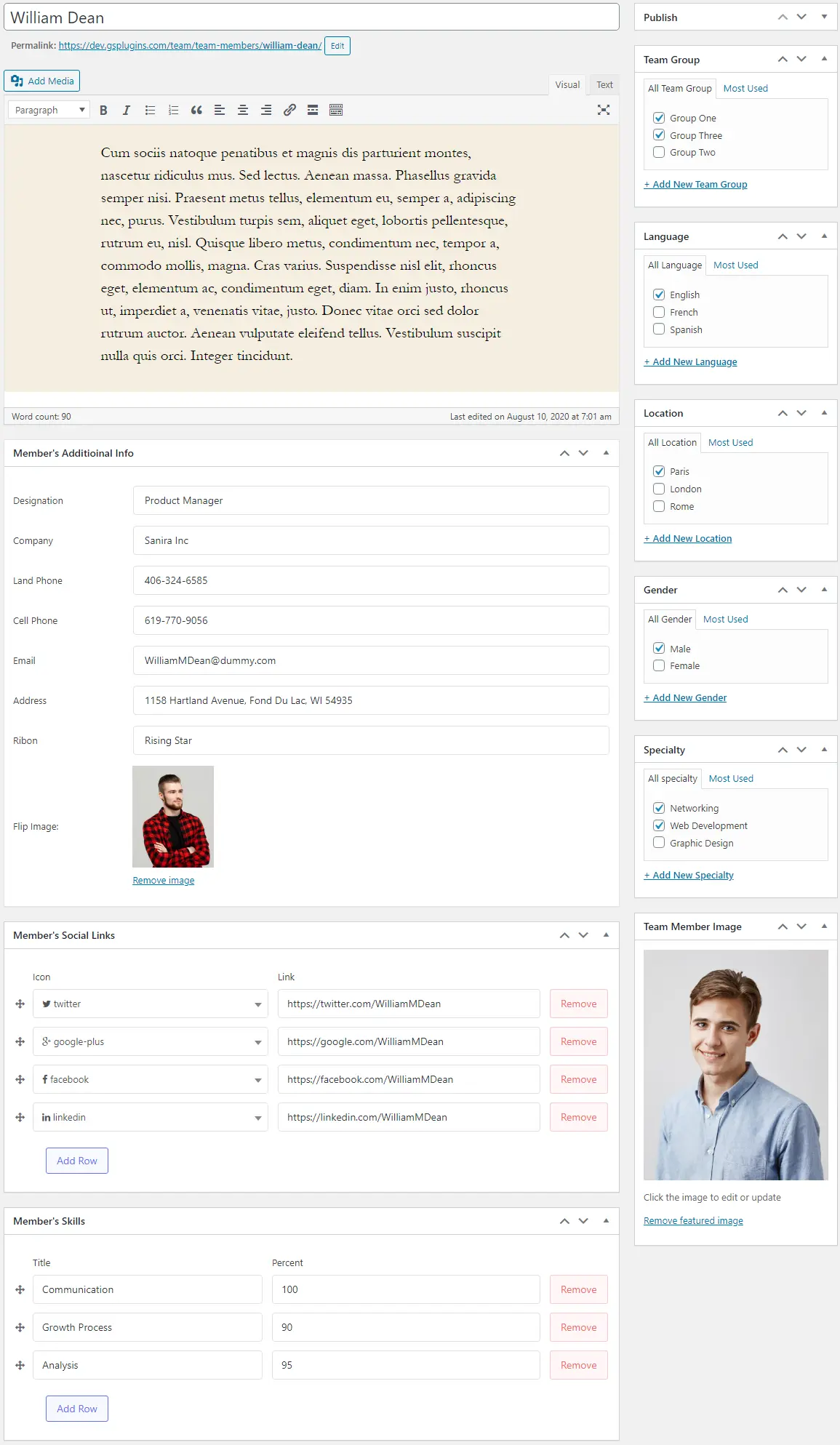 Add New Member
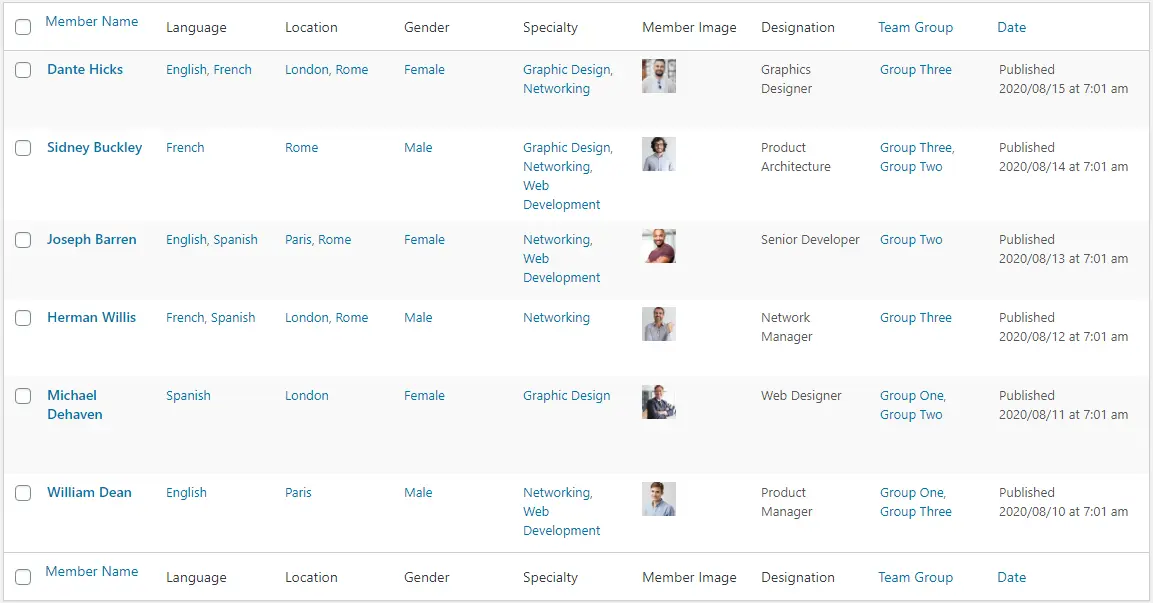 All Team Members
 All Shortcodes
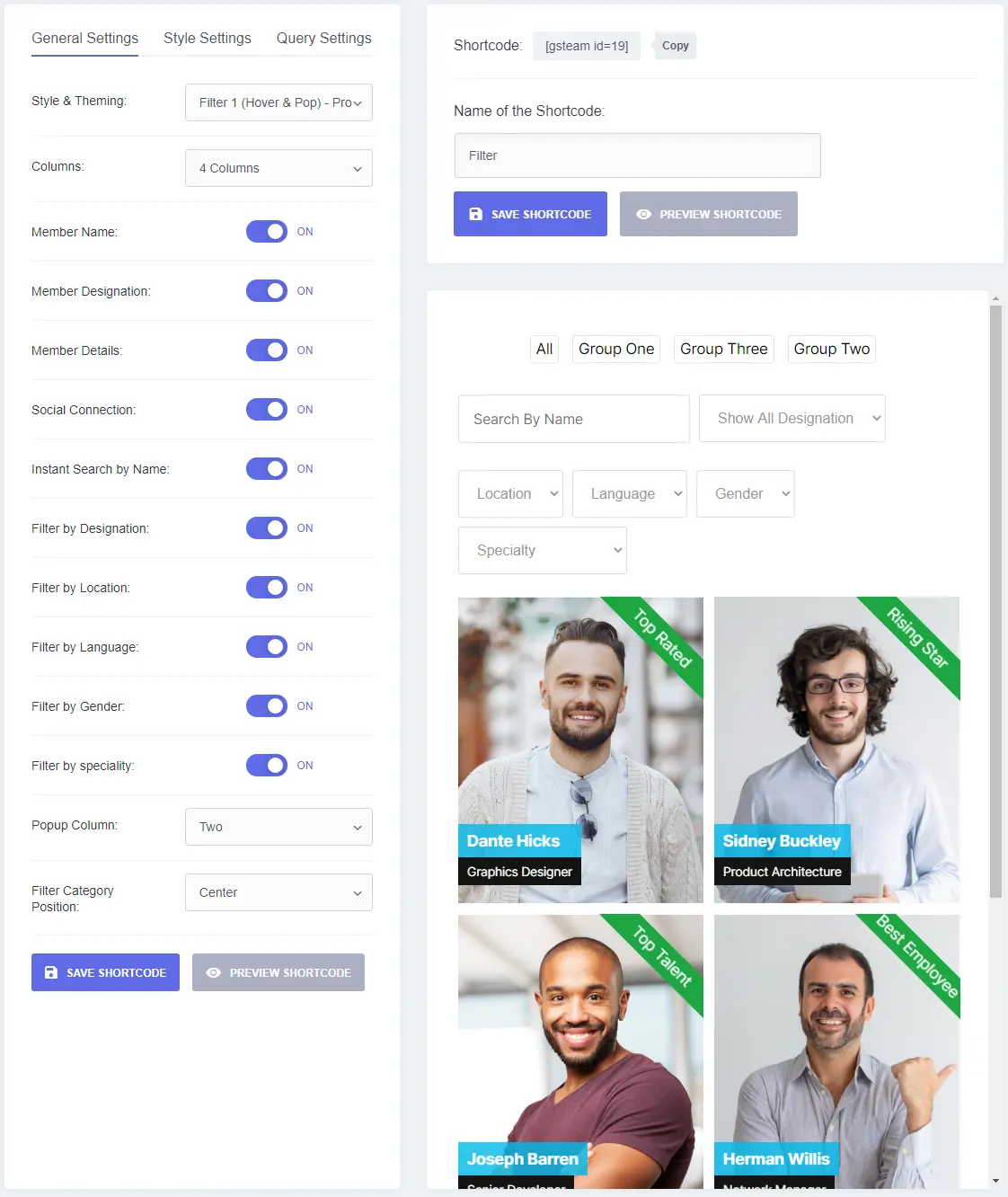 Create New Shortcode
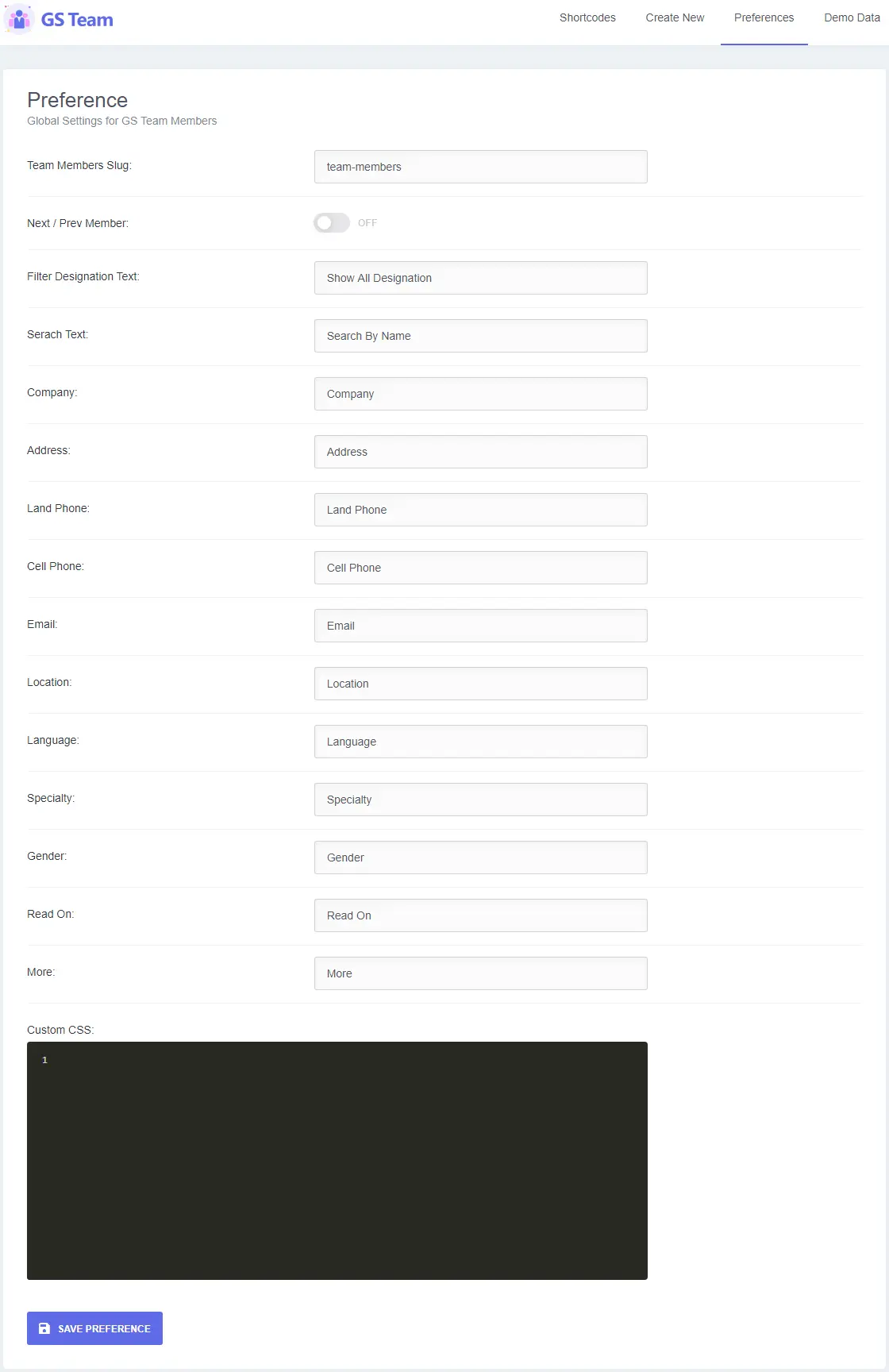 Preferences / Localization
 Install Demo Data
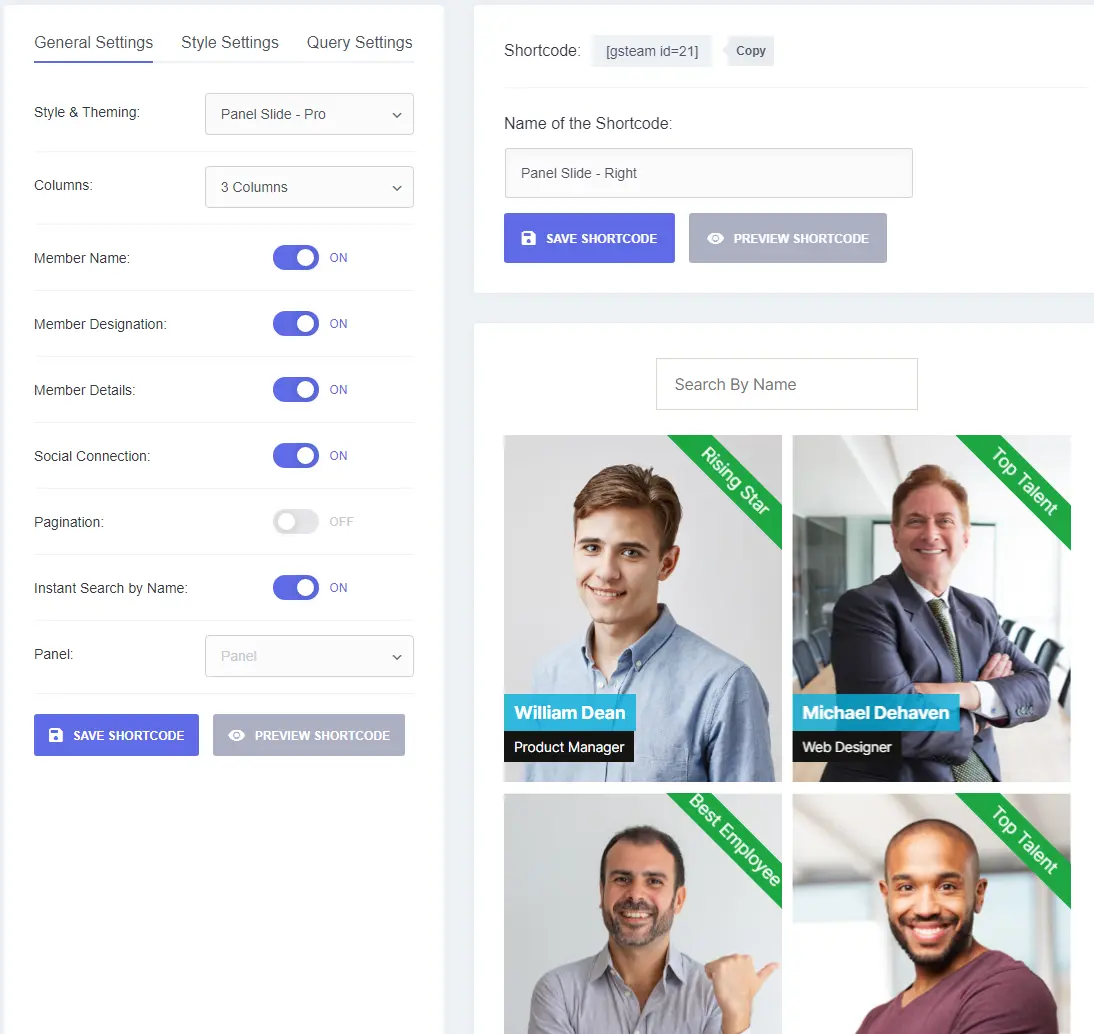 General Settings
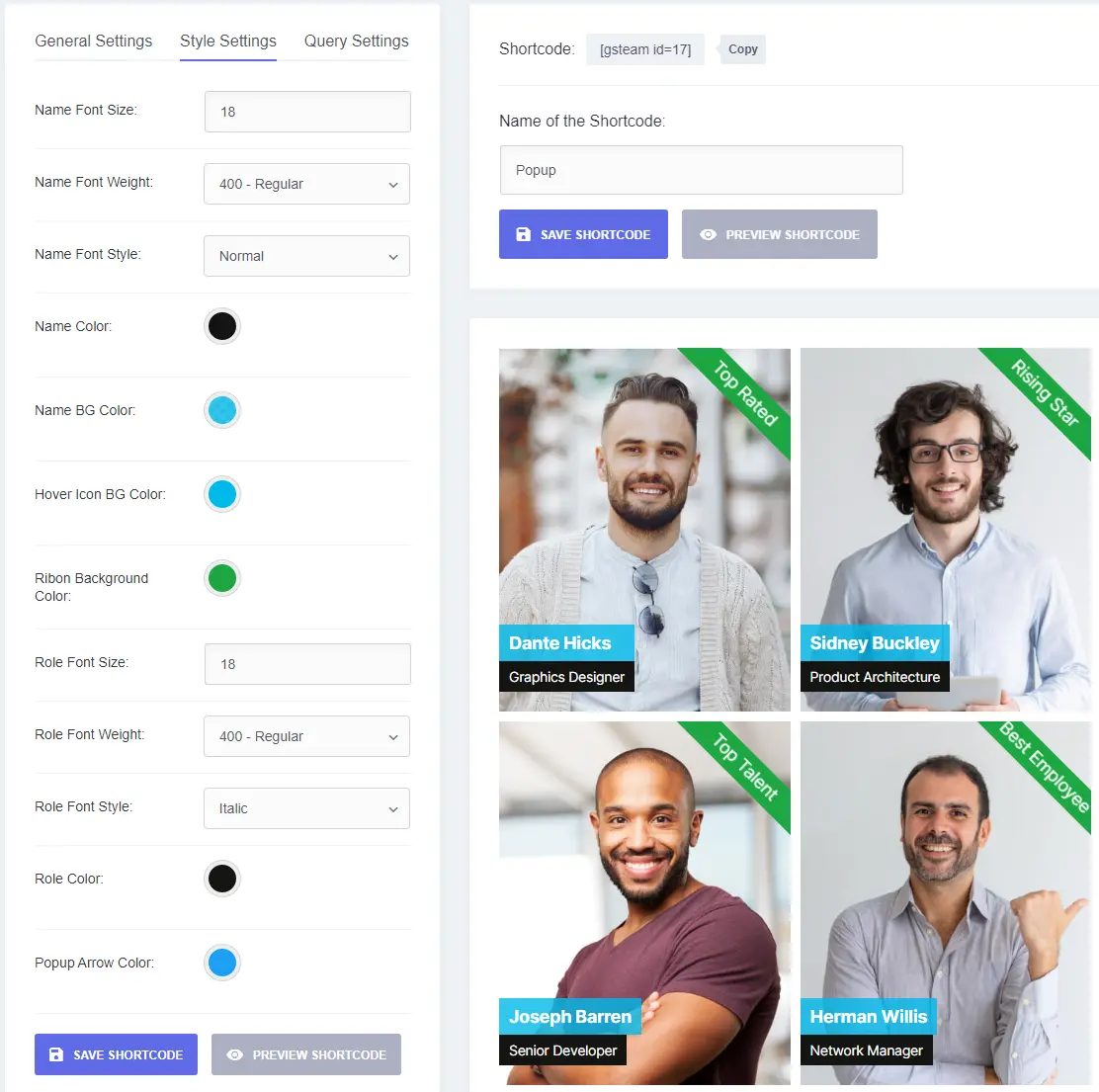 Style Settings
 Query Settings
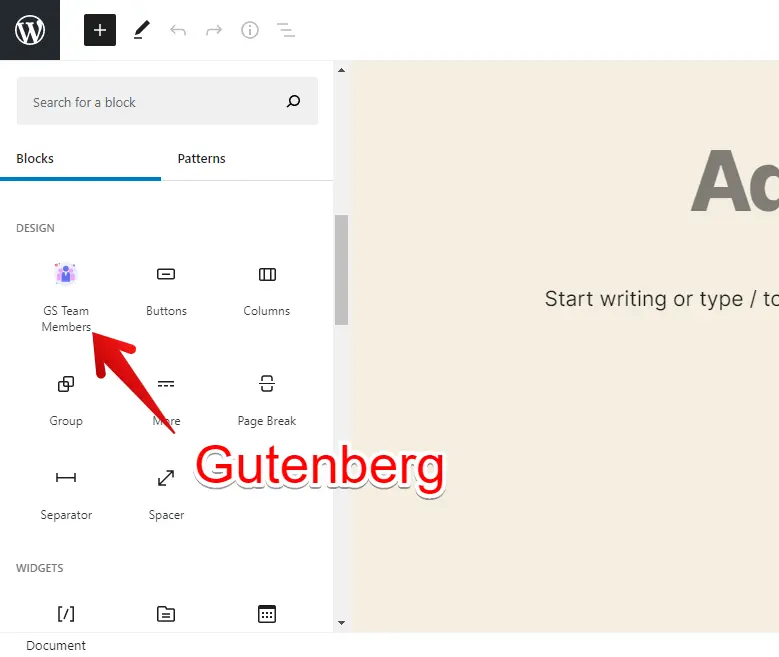 Gutenberg Team Block
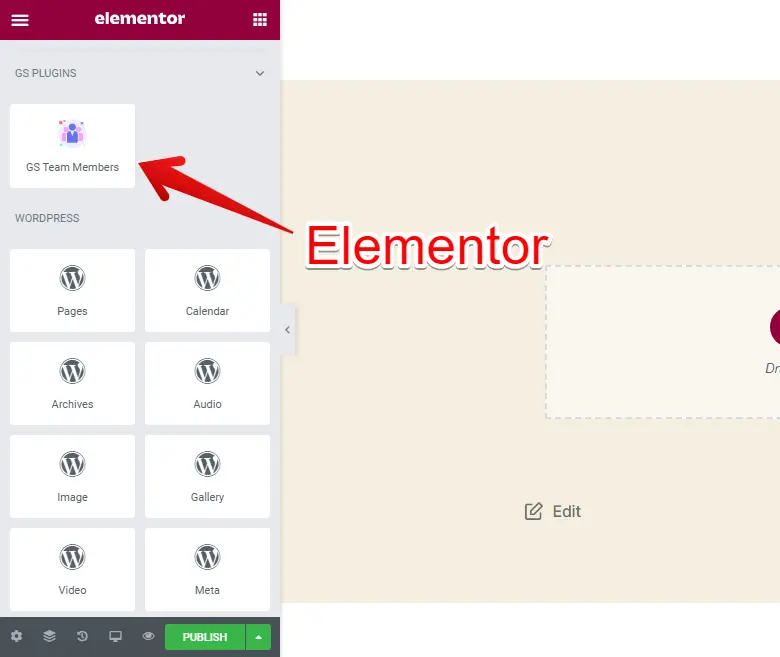 Elementor
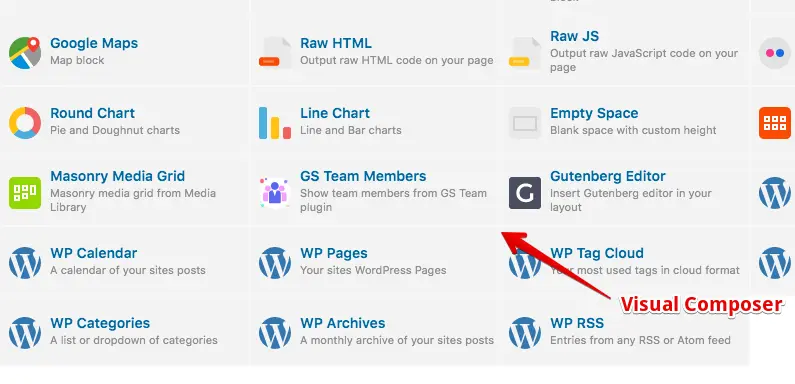 WPBakery / Visual Composer Element
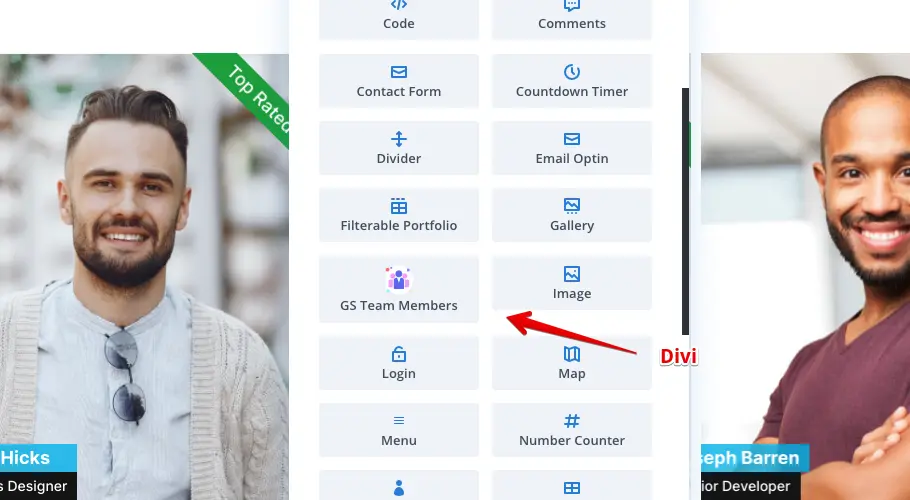 Divi Module
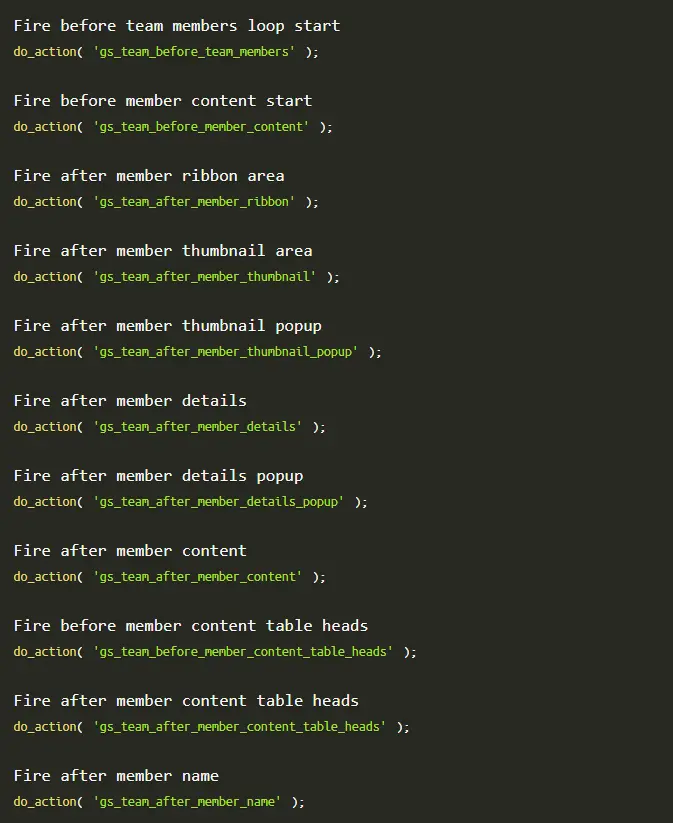 Action Hooks
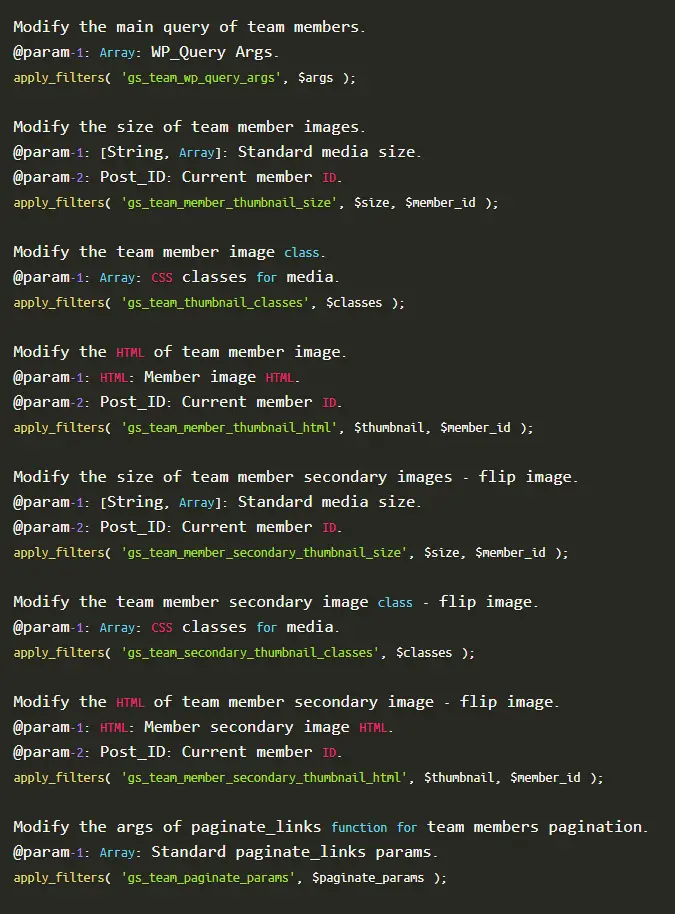 Filter Hooks
 GS Team Member Widget
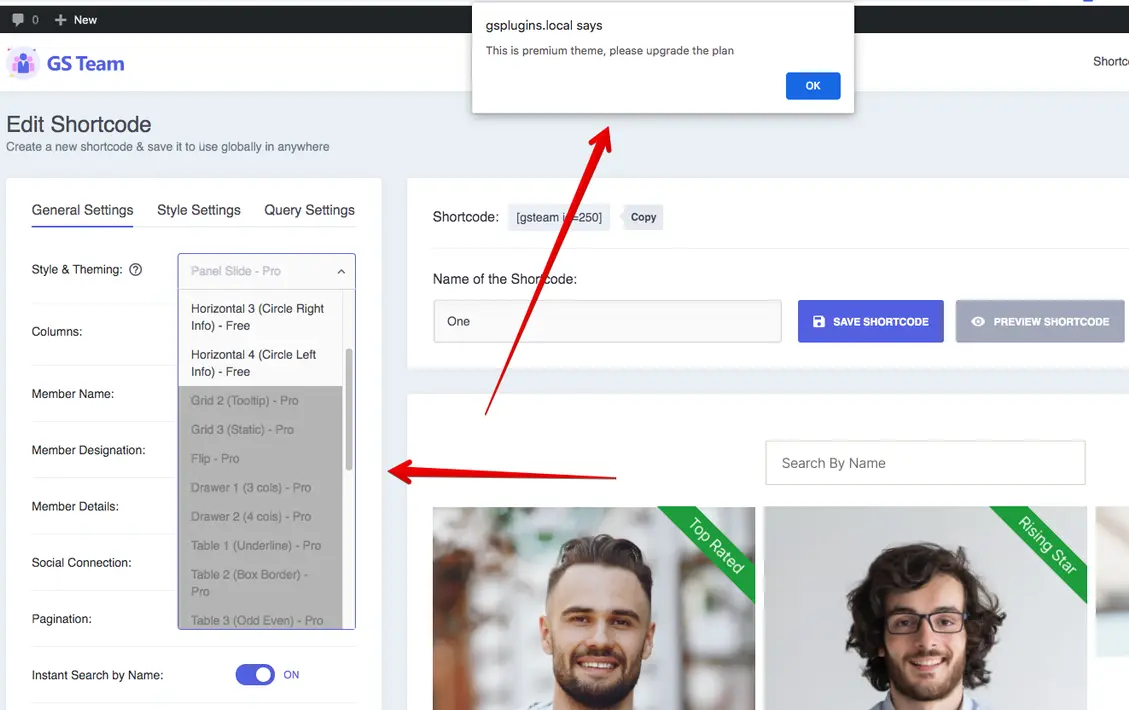 GS Team Member Free vs Pro
Reviews
I ran into a compatibility issue with my Divi theme, and the support team – especially Sarwar – was incredibly responsive. They quickly identified and resolved the problem for me.Very professional, fast, and friendly. Highly recommended!
Easy to use plugin with lots of customization. A bit hard to use the automatic import but it worked fine. Support has been very helpful, thank you very much.
Top-notch support and plugin
The extension is well-designed and a great tool for managing my team. The support team is responsive and very quick; I’m very satisfied so far.
The GS Teams plugin adds a unique feature to Team pages and fit our needs nicely. Their customer support is very helpful and assisted us in a recent question.
Presenting our club members has become much easier and clearer with this system. The ability to work with groups significantly improves structure and usability, making day-to-day organization within the club much more efficient. Overall, the applicat…
As the title suggests, the plugin has all the features I need (and then some!). Beautiful layouts. A question to support was promptly answered, including adding a brand new feature in response to my request!
While were are testing the plugin we have a problem with the configuration. The Support Member replied to my inquiry in just few minutes and solved the issue. Perfect!
Easy to use, works perfectly for our needs to present teams and use the filter. I reached out to support when I was missing a feature. It could not be solved right away but within a few weeks support contacted me to let me know it was fixed and inclu…
the plugin in really nice and resolves so many wishes in terms of displaying people on a website. I’ve needed support and they are quick and helpful.
Very useful plugin for displaying team members, with loads of other functionality as well. Plenty of features even with free version, very helpful technical support.
The plugin is great, but what really stands out is the support and customer service — fast and efficient.
We were using the GS Team Members plugin and ran into a minor complication. I posted a tech question and they answered within hours. The issue was fixed, and our site was launched. The GS Team Members is simple to use and does the job perfectly. Thank you!
Un support très efficace ! et rapide !
I contacted the support team, due to activation issue. The Support Member replied to my inquiry in just few minutes and solved the issue. GREATTT!!! Mch appreciated, guys!
The plugin works well and is fairly flexible. Support is responsive.
The Team Members Pro plugin is fantastic on its own, but what truly impressed me is the outstanding support from GS Plugins. When I needed customizations, their support team resolved everything within a single day. I’m beyond impressed with their eff…
As a novice web designer, this Teams plugin was very easy to use and setup for a small business team. When I ran into some issues (of my own doing), I contacted support and submitted a ticket. The GS Plugin Team was extremely responsive and resolved…
Easy to use and has lots of options for a free plugin including popups for bios. Support was fast and good. We have long titles/designations and support gave me the CSS to accommodate them.
I’ve been through a lot of plug-ins for making membership lists for our sites, it’s a very time consuming process. I discovered GS Team members which suited our membership listings perfectly, there are many, many output templates to choose from and y…
I’ve been using the Team Members plugin from GS Plugins for a while now, and I’m thoroughly impressed. The setup was incredibly straightforward, and I had it up and running in no time. Even for someone who isn’t particularly tech-savvy, the user inte…
I’ve been searching high and low for a tool that I could use for a team page directory where I could filter by specific groups, and other parameters. After using several and not being satisfied, I found Team Members and it is everything I need. Sarwa…
Wow these people are great! While I was really digging the plug-in, there were a couple of modifications to the CSS I needed help with. Sarwar helped me no problem! Quick and Easy! I am looking forward to working with them again! Thanks!
Many thanks for the quick and competent help
Plans start at $49 a year, or pay once with a lifetime license. Every plan includes all Pro features, updates and support.
FAQ
Quick answers about setup, features and compatibility.
Our support team is happy to help with setup, styling or anything else.
To add a new member in the plugin, follow these steps:
You can check the Add New Team section » for a visual explanation.
For the best display across different devices, it’s advisable to use an image size of 400px by 400px for member profile pictures. WordPress will automatically generate different sizes, and you can select the appropriate image size (thumbnail/medium/large) when creating a shortcode.
You can easily display shortcodes in your page templates using the do_shortcode() function in WordPress. Simply add the following code to your template file:
<?php echo do_shortcode('[gsteam id=1]'); ?>
This will allow you to display using the shortcode and the desired theme in your page templates.
Yes, you can easily add social media links using the plugin. It offers 470+ different social media icons for you to choose from, and you have complete control over whether to display them or not, as well as the ability to reorder them through drag-and-drop functionality.
Yes, the plugin offers a shortcode and widget to display on your website. Generate shortcode like
No questions match. Try another word, or contact support.
Ready when you are
Put real faces on your business, and build trust from the first visit. Every plan includes all Pro features, updates and friendly support.
GS Team Members Pro 91 reviews 
Build better WordPress sites, faster.Easy, well-supported plugins that save you hours of customization and development.